QuickClean Secure: Android maintenance, security, and network diagnostics
QuickClean Secure, from MOTO HIGHLIGHT TEAM, targets Android users who need routine device maintenance and security. The app combines storage cleaning, security scanning, and performance monitoring to remove cache, detect suspicious apps, and display system stats. It bundles a Storage Cleaner, Security Scan, File Management, app usage analytics, notification cleanup, and network diagnostics into one interface, giving mobile workflows centralized controls for upkeep and quick network checks for everyday use.
What is QuickClean used for?
QuickClean is an Android maintenance utility that combines storage management, device security, and performance monitoring into a single app. The offering specifically includes a Storage Cleaner for cache and residual files, a Security Scan for malware and suspicious applications, and system reporting that surfaces CPU, memory, sensors, and other device specifications. In a professional setting, it targets mobile device upkeep rather than desktop-grade administration tasks.
What can you do with QuickClean in daily device upkeep?
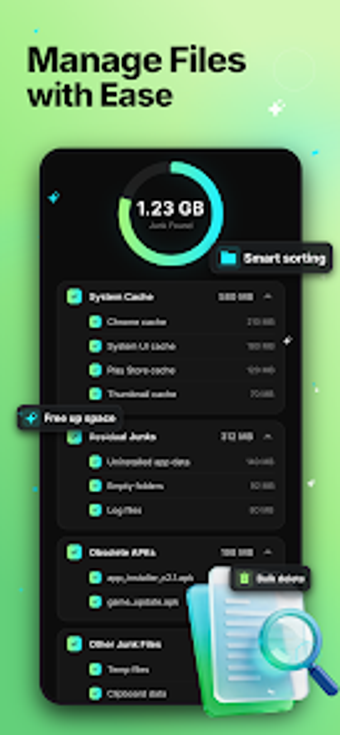
The app organizes common maintenance tasks through focused modules. Storage Cleaner removes cache, residual files, and obsolete APKs. File Management exposes photos, videos, audio, and large downloads for selective deletion. App Usage Overview reports duration and frequency statistics so users can monitor habits. Notification Cleanup lets users silence accumulated alerts without opening each app individually.
Is QuickClean easy to adopt without specialist training?
The app presents an interface that allows easy navigation between file management, app usage tracking, and system information retrieval, lowering onboarding friction for individual users. The design emphasizes privacy controls, so users choose exactly what to review and remove rather than applying blanket actions. The developer built the tool for modern Android versions to support its advanced scanning and management capabilities, which influences device compatibility during rollout.
What network and diagnostic information does it provide?
Network Tools give direct insight into wireless connections by checking Wi‑Fi security, listing devices on the network, monitoring data usage, and running speed tests. The app's diagnostics surface device-level details such as CPU, memory, sensor readouts, and system specifications that support troubleshooting on the go. These capabilities suit technicians and power users who need local visibility into connectivity and hardware metrics while working on mobile devices.
QuickClean fits solo device maintainers but not enterprise rollouts
QuickClean is a practical option for Android users who manage their own device upkeep and privacy controls; it delivers on-device maintenance without presupposing IT support. The app is a recent release and is still building its user base, which limits long-term feedback and institutional adoption. This makes it suitable for individual professionals and casual power users, while organisations needing established support should consider mature alternatives.